The designer · UpDash Mail console
Design dealer mail in the browser.
Start blank, from a finished layout, or from a sentence for the AI. The print rules sit on the page and are checked as you work. Save it as a template, and your code or your agent orders it for any dealer.

From a blank page to a template you can order
Five steps, each in the same window. Everything here is a screenshot of the designer, not a mockup.
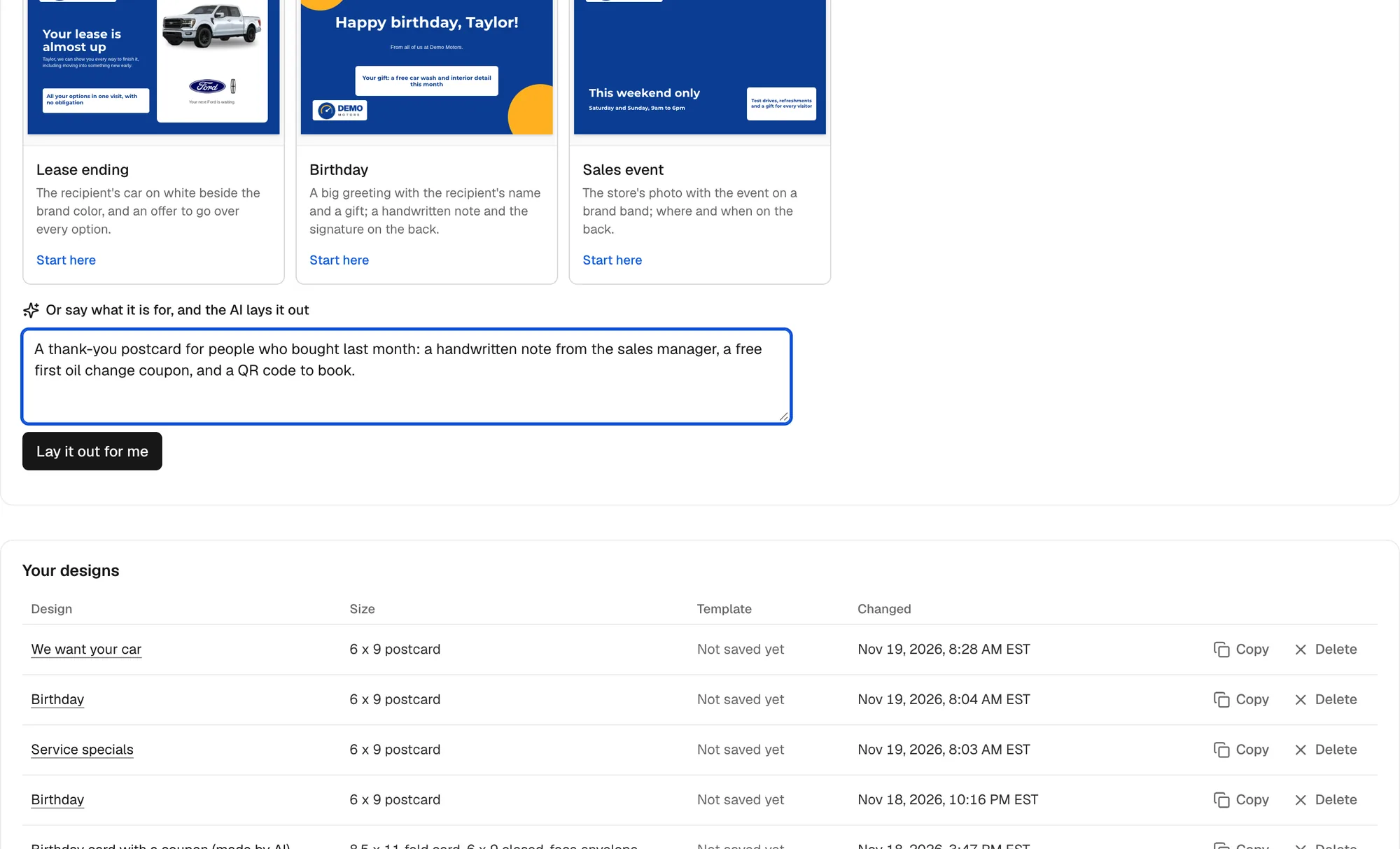
01StartPick the 9 x 6 postcard, the tri-fold letter or the greeting card. Start blank, from a finished dealer layout, or describe the piece in a sentence and the AI lays it out.
api.updash.com/console/templates/designerDemo data02Lay it outClick or drag blocks onto the page: headlines, a handwritten note, coupons, a voucher, a starburst, photos, the customer's car, the logo, the signer's name, a QR code. Drag, size and turn them; edges snap to the safe area. Pick several to line them up.
api.updash.com/console/templates/designer/9a31d8d7Demo data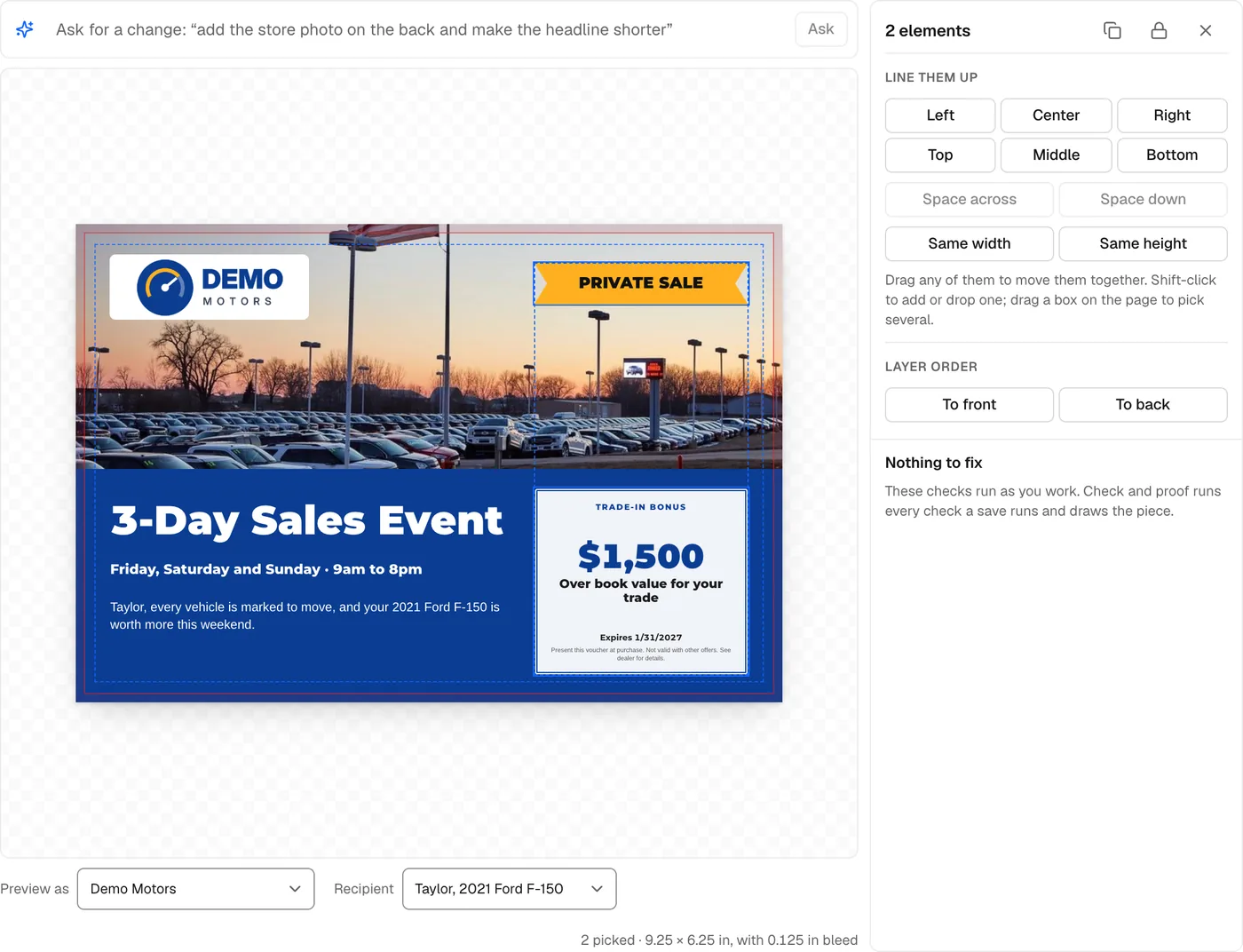
03Set itThe panel holds what you picked: words, with merge fields shown as tags, fonts, sizes and colors. A coupon's price, item and expiry are samples, so every order states its own.
api.updash.com/console/templates/designer/147f7cf6Demo data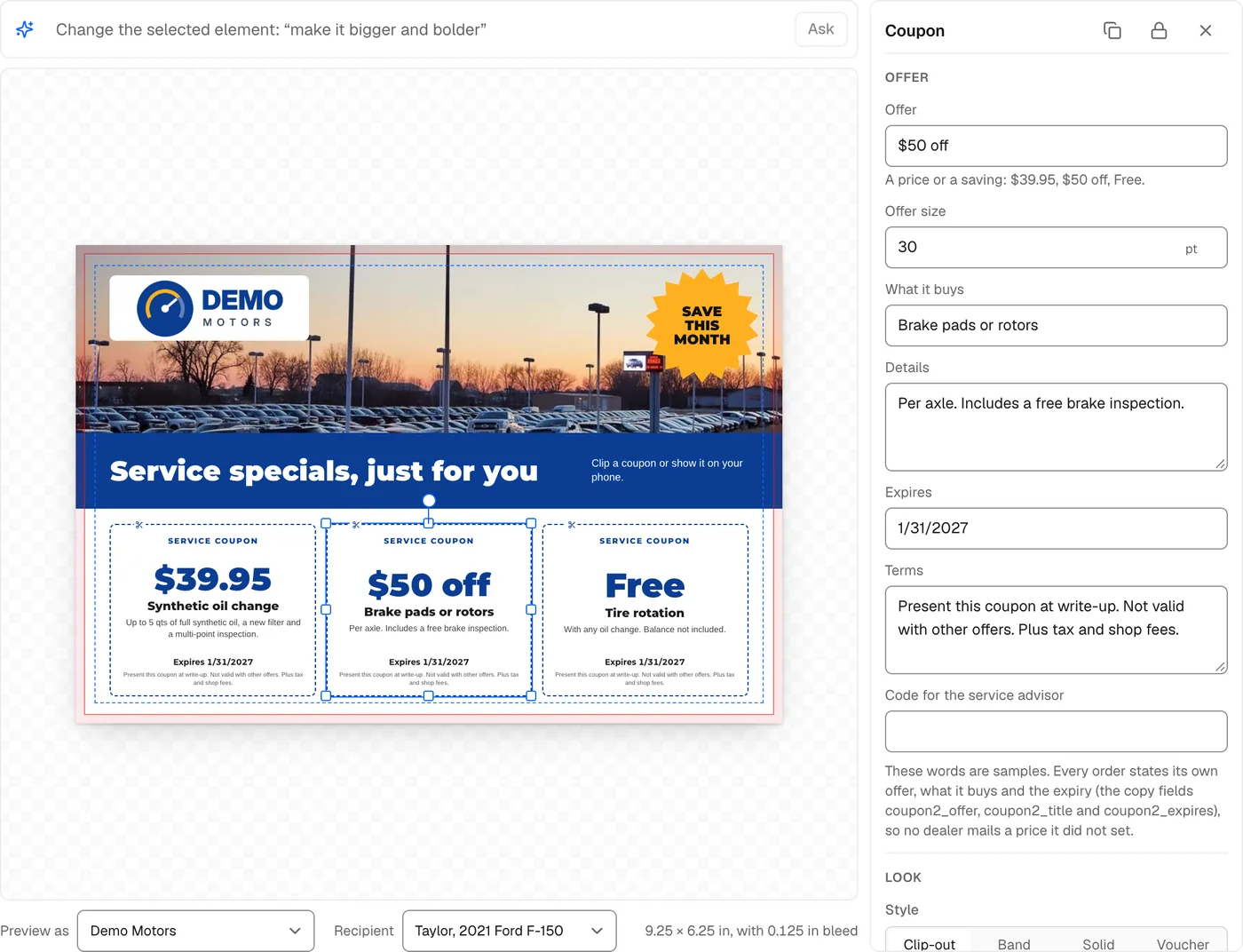
04Preview itSee the page as any of your dealers would print it: its logo, brand colors, details and photos. Then try the longest name and vehicle, or a customer with neither.
api.updash.com/console/templates/designer/ce426025Demo data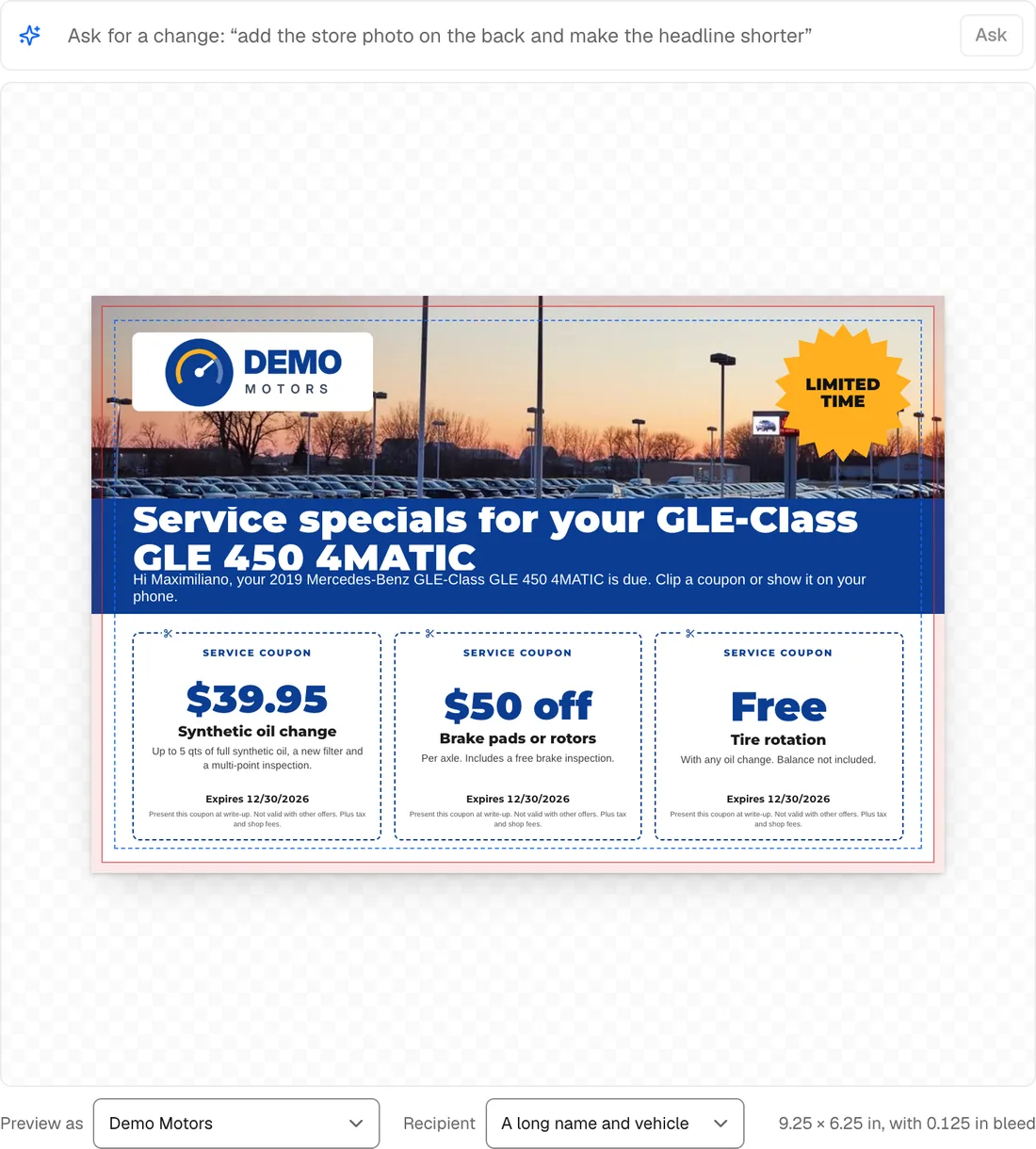
05Check and saveChecks run as you work and name what to fix. Check and proof draws the whole piece as it will print, with a PDF. Save as template makes it one of your templates.
api.updash.com/console/templates/designer/b778bacaDemo data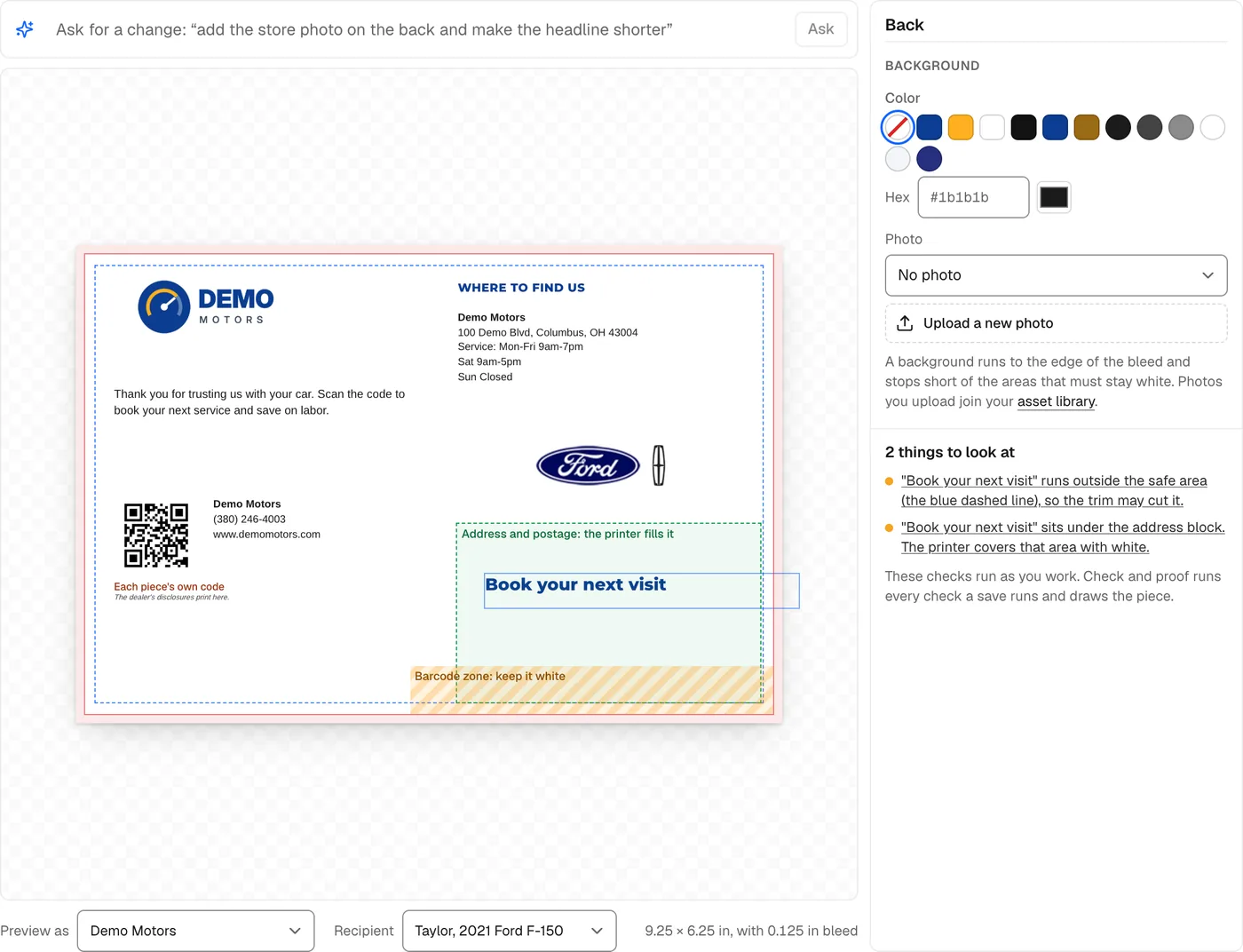
Say what you want, and the AI lays it out
Lay it out for me turns a sentence into a whole piece, laid out the way dealer mail is: coupons and vouchers for the offers, the customer's name and car, a starburst or ribbon, and the QR code beside the phone.
- Ask for a change in plain words. The AI changes the element you picked, or the whole design.
- It checks its own work against the live checks once, and fixes what they find.
- Each change is one step to undo, and nothing saves until the design does.
- Coupon prices and dates stay samples. Each order states its own.

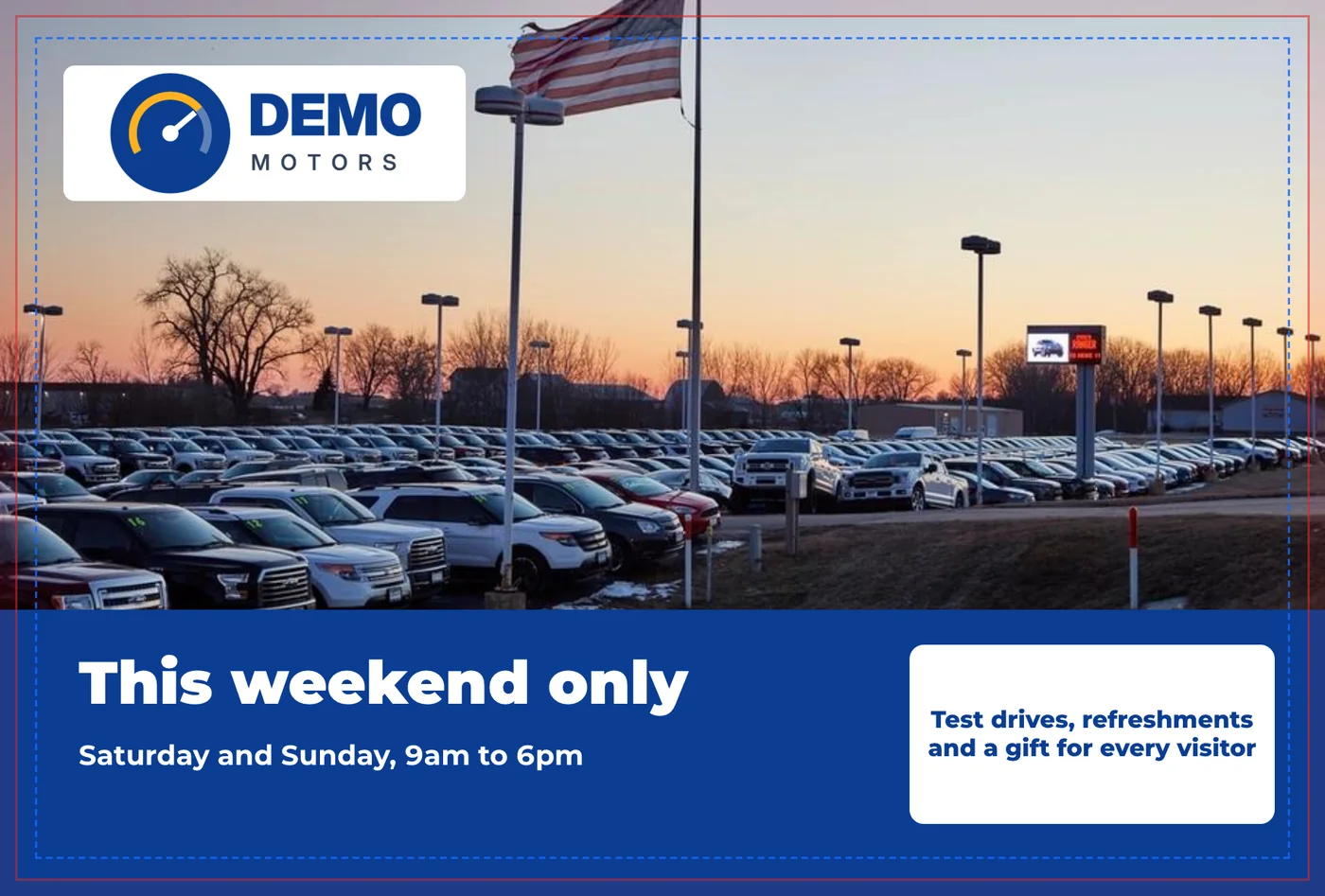
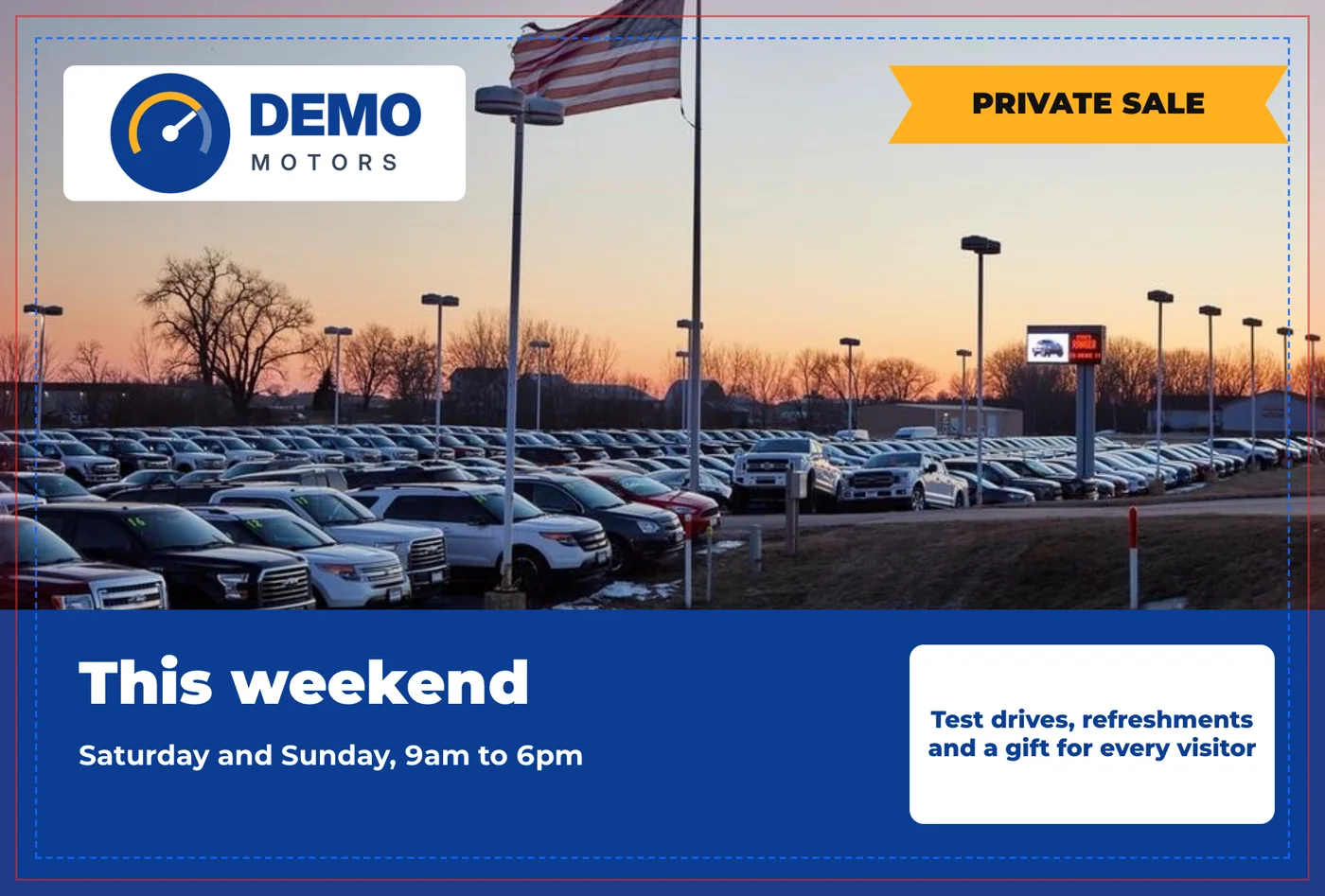
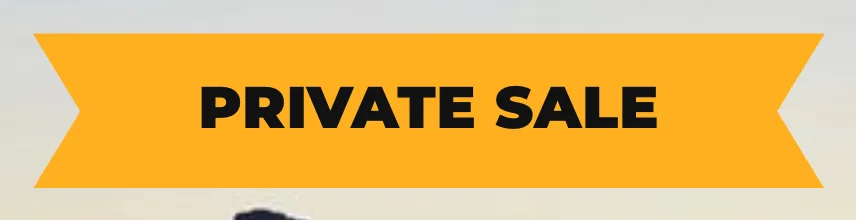
Asked: “Make the headline shorter, and add a ribbon that says Private sale across the top right of the photo.” The AI answered: “Shortened the headline to ‘This weekend’ and added a ‘Private sale’ ribbon across the top right of the photo, opposite the logo chip. Everything else is unchanged.”
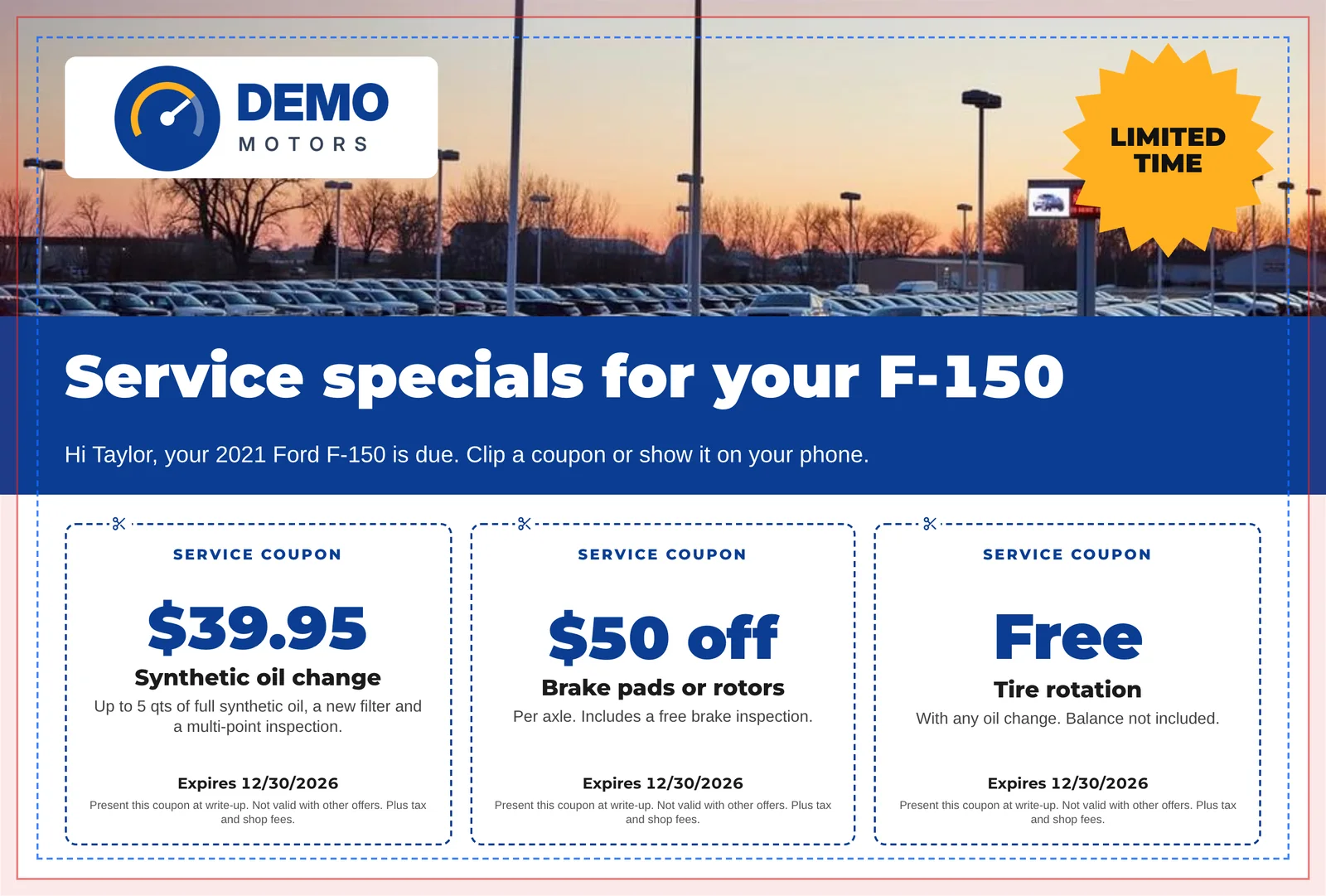
A whole postcard from a few words.
“Service coupons for customers due for service: an oil change special, a brake special and a free tire rotation. Make it look like a real dealer service mailer.”
The AI chose the store’s photo, a headline that names the customer’s vehicle, a starburst and three clip-out coupons. It shows here for the sample customer, Taylor, who drives a 2021 Ford F-150. The prices are samples: each order states its own.
Built from the parts dealer mail is made of
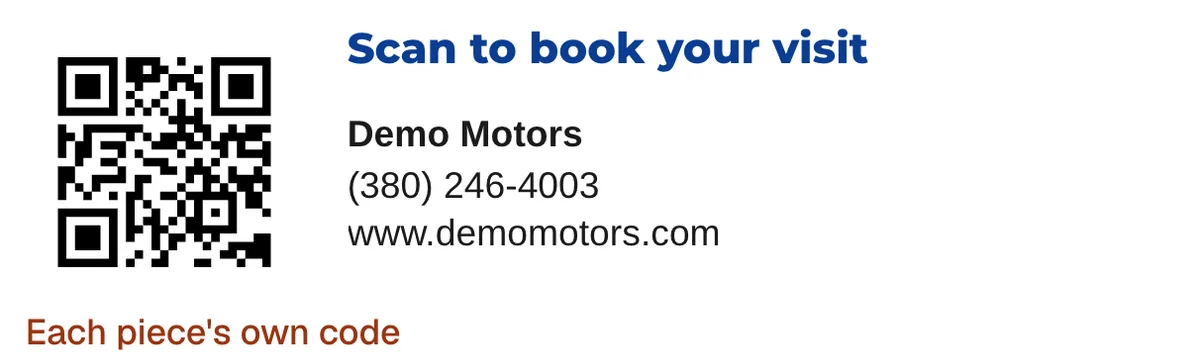
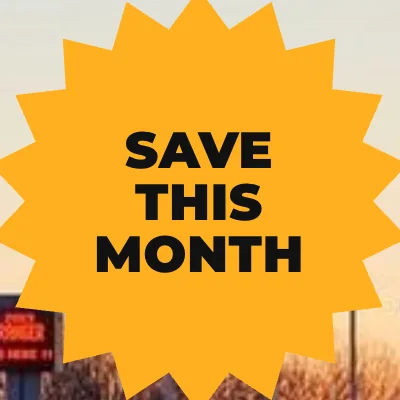
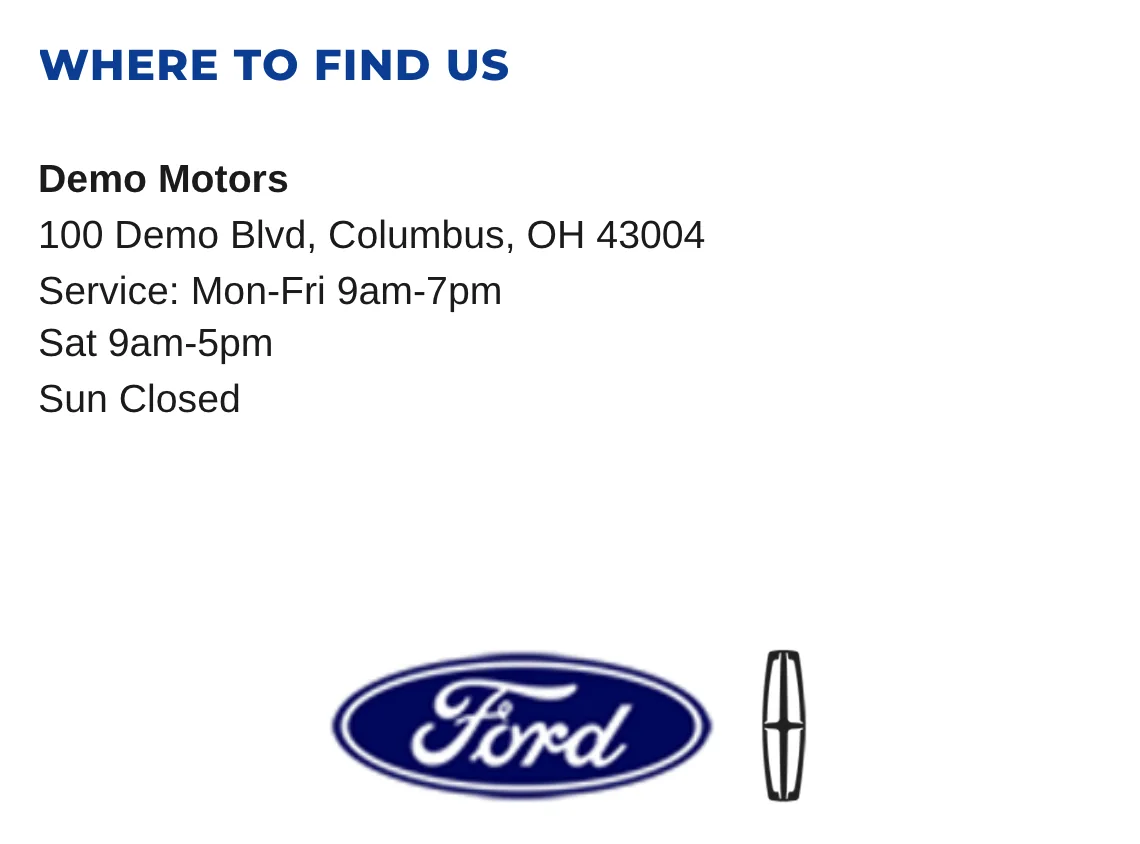
Not boxes you style from scratch. Each block is drawn the way dealer mail draws it, from a clip-out coupon to a note the general manager signs by hand. These are crops of the designer's own page.
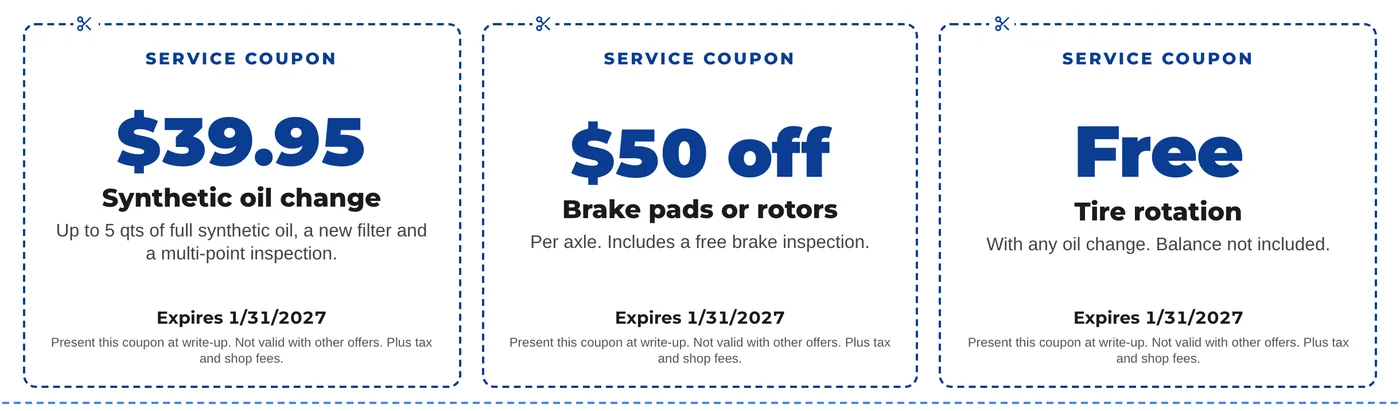
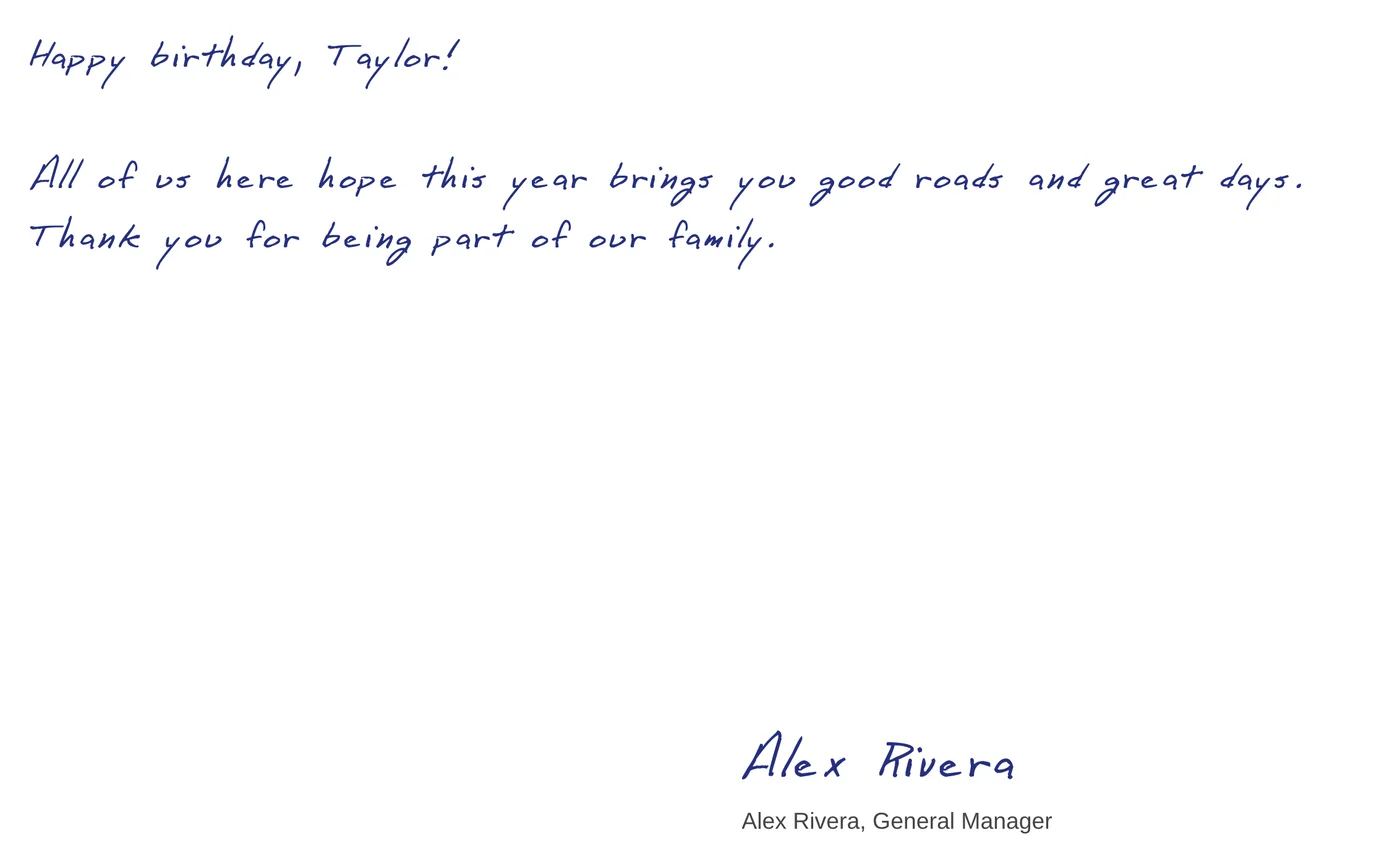
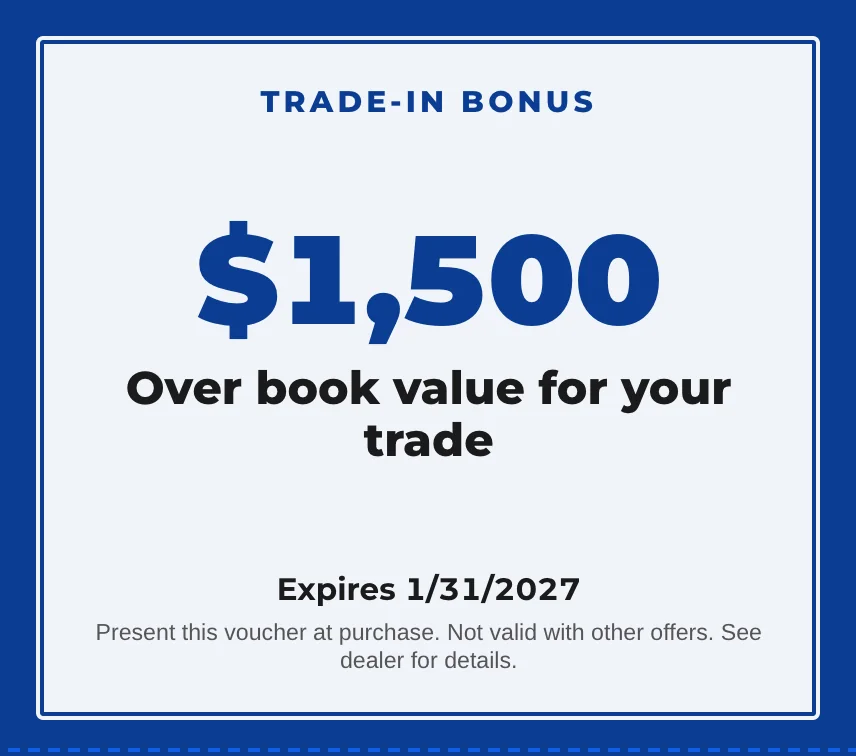
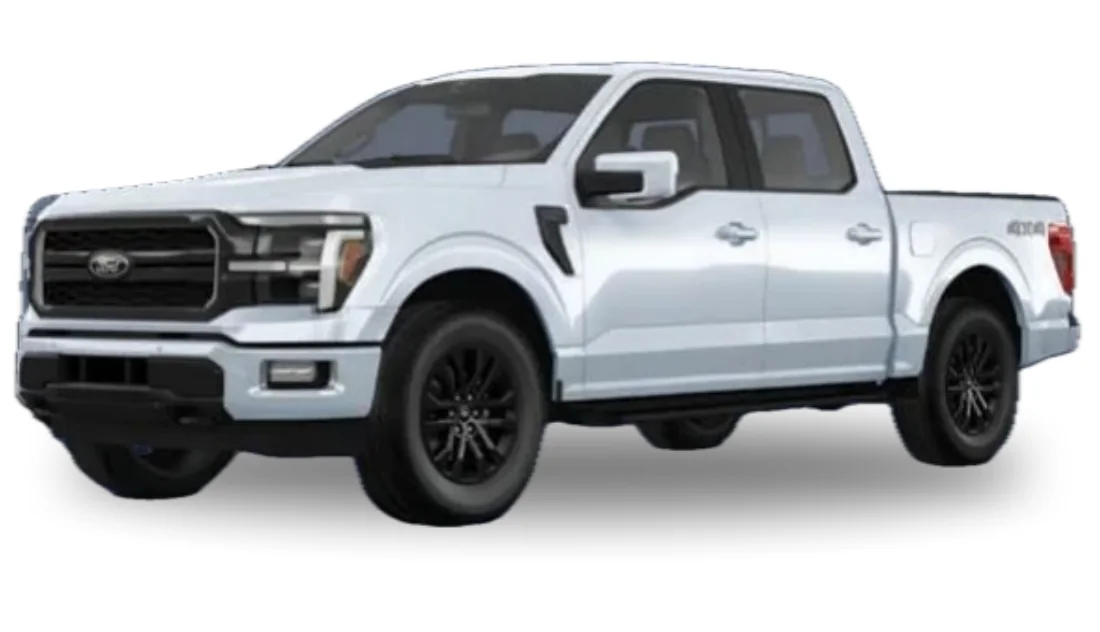
Every block in the designer
- Headlines and text
- Handwritten notes, in five faces
- Coupons: clip-out, under a band, solid
- Vouchers
- Starbursts, ribbons, circles and tags
- Photos: the store, staff, your library
- The customer's own car
- The dealer's logo and make logos
- The signer's name, written by hand
- Store details and hours
- QR codes, tracked per piece
- Disclosures
- Shapes
- Response boxes: PIN, QR, web
The print rules are drawn on the page
Every side shows its bleed, trim and safe area, the address block and barcode zone, and a letter's or card's folds. Checks run as you work and say what to change.
Check and proof runs every check a save runs and draws the proof for the dealer you preview, with a PDF.
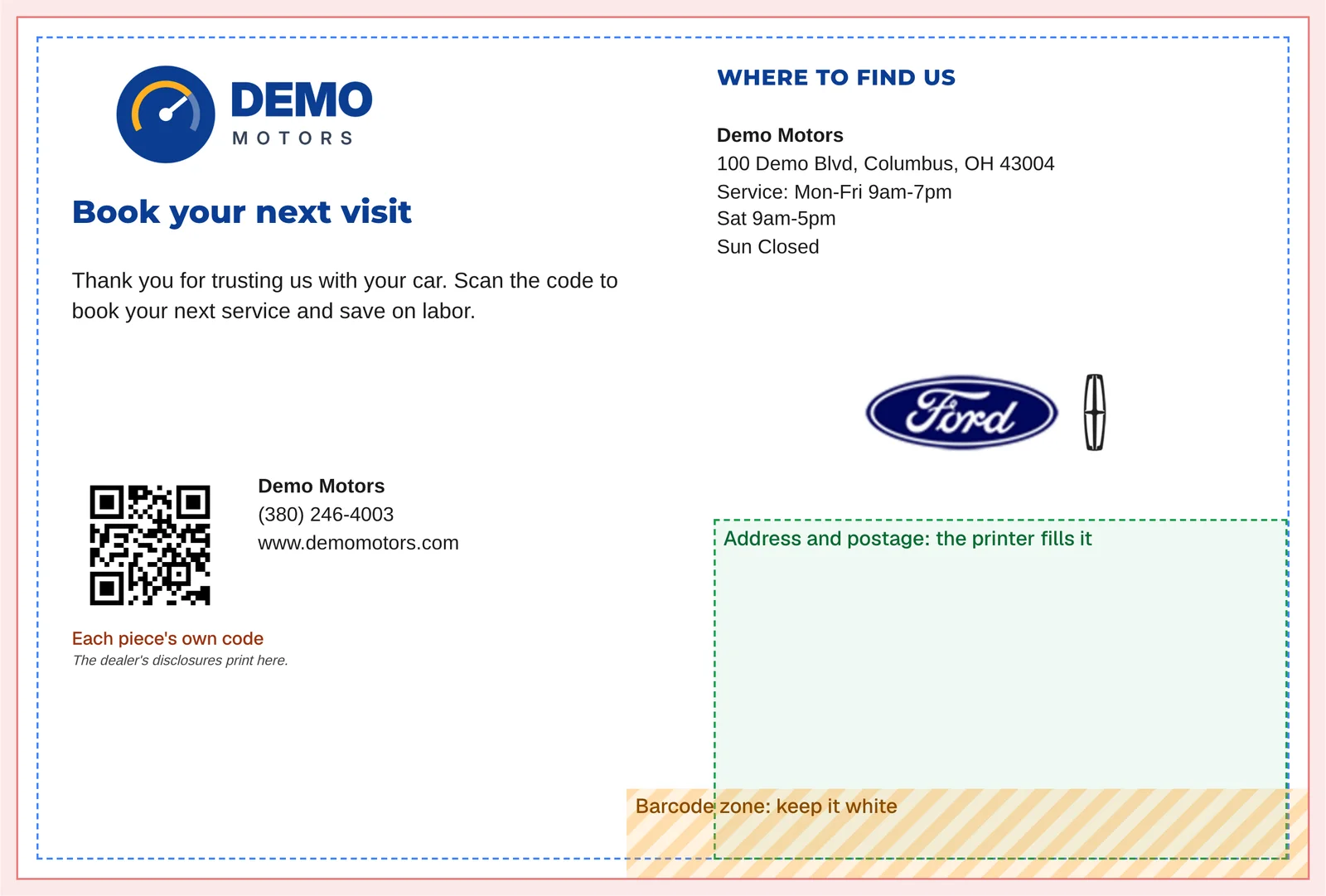
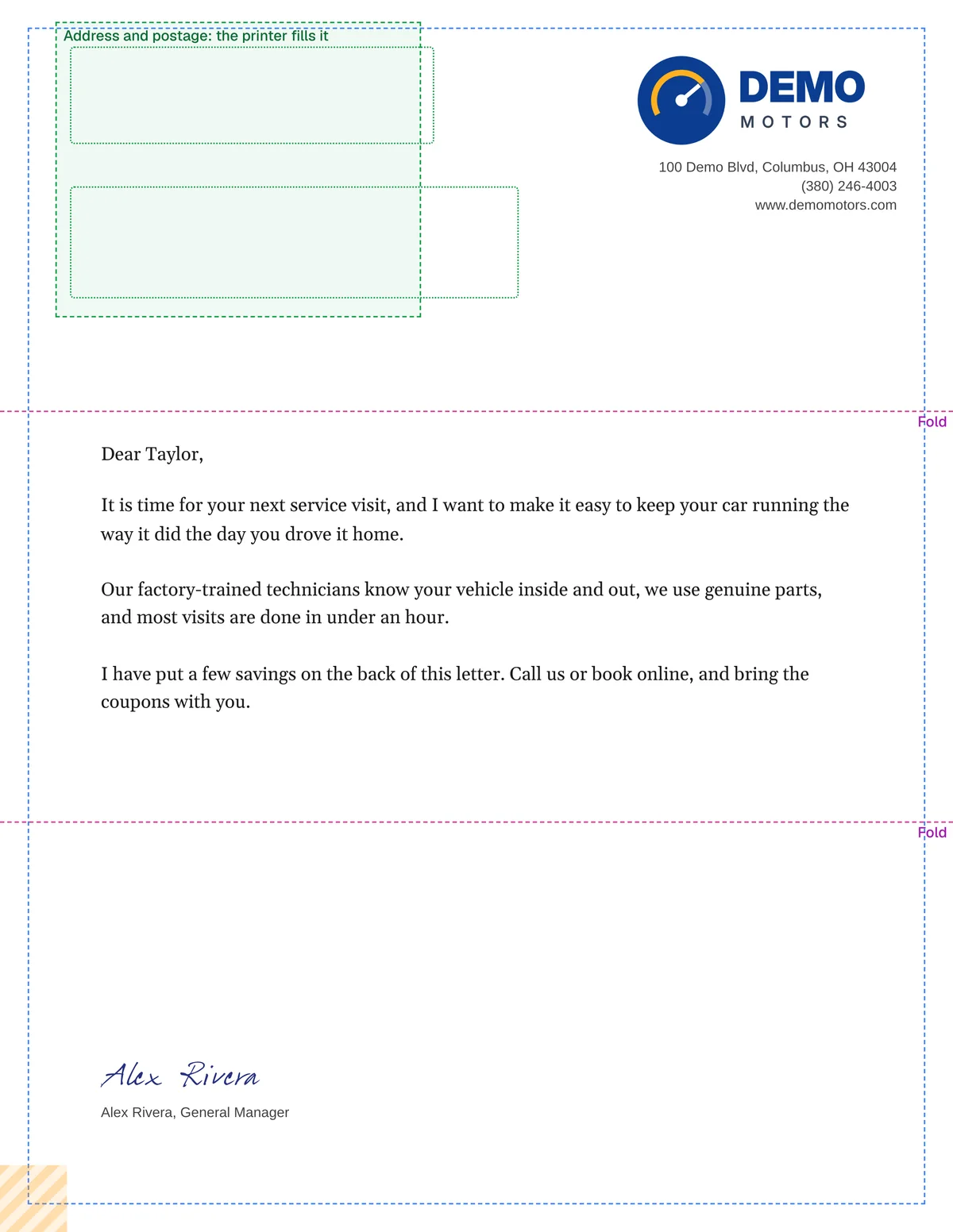
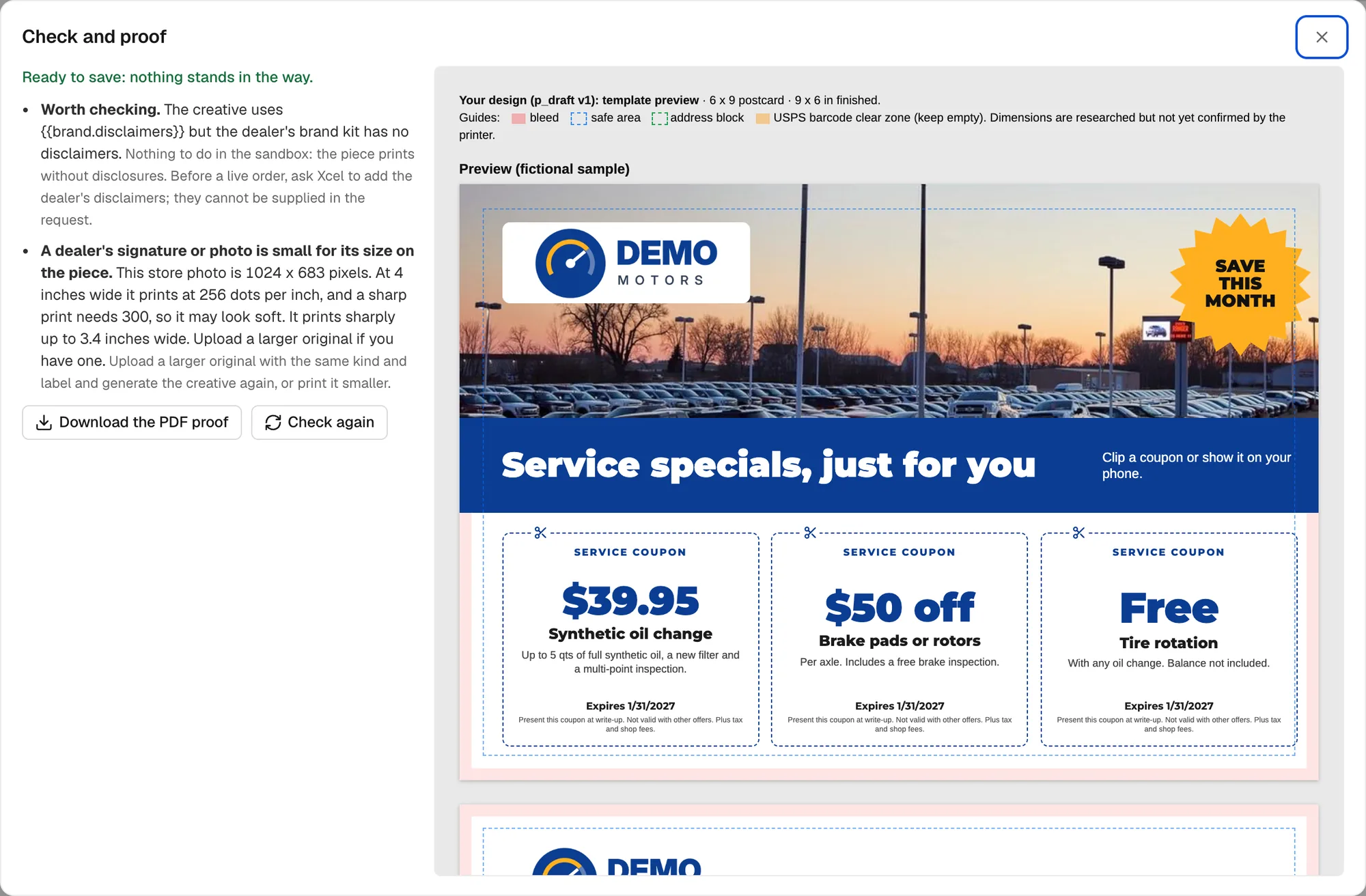
- Outside the safe area
- Words past the blue line, where the trim may cut them.
- Under the address block
- The printer covers that area with white, so anything there is lost.
- In the barcode zone
- USPS needs that strip clear for the Intelligent Mail barcode.
- Across a fold
- On the letter's two folds and the greeting card's fold.
- Over other words
- Two text blocks that overlap on the page.
- No disclosures block
- Every piece keeps a place for the dealer's disclosures.
- A QR code that won't scan well
- Smaller than 0.75 in, turned, or not square; a tracked code on a card's cover.
- Words that don't fit
- A coupon or badge whose words run past its edge, or store details cut off, measured with the dealer you preview.
- A price typed into the design
- Every dealer would mail it. Prices belong in the order.
One design, every dealer, every household
You design it once. Each dealer, each customer and each order fills in its own part, and Preview as shows any of them before you save.
- From each dealer's profile
- The logo, brand colors, address, phone, website, hours, signer and photos. Brand colors in the design print in each dealer's own.
- From each row of the list
- The customer's first name and vehicle, a photo of that vehicle, and a QR code of its own: every scan lands on that customer's lead.
- From each order
- Each coupon's offer, item and expiry, and any words you mark “Each order writes its own words here”. A price must come from the order, never the design.
Save as template · UpDash Mail API
A saved design is a template your code can order
Save as template stores the design under your own p_ code, with a new version on every save. Your code, your agent over MCP or a person in the console orders it like any Xcel template, with each coupon’s offer in the order.
curl -s $API/v1/campaigns/$C/creative \
  -H "Authorization: Bearer $KEY" -H 'content-type: application/json' \
  -d '{
    "template_code": "p_service_specials",
    "copy": {
      "coupon1_offer": "$39.95",
      "coupon1_title": "Synthetic oil change",
      "coupon1_expires": "01/31/2027"
    }
  }'
A person at the dealer still approves every live order on its proof, quote and list.
Questions
- Who can use the designer?
- Teams that order through the UpDash Mail API. It is in the Mail console, under Templates. Members and admins design; saving a template needs a person who sees every dealer. A sandbox key comes with a console sign-in, so you can try it before you go live.
- Do I need to know HTML or have a designer?
- No. You lay the piece out with the mouse, or describe it and the AI lays it out. Every design goes through the same checks as a template saved through the API. If you already have finished art or your own HTML, upload it under Design your own instead.
- Which sizes can I design?
- The three pieces Xcel mails: the 9 x 6 postcard, the 8.5 x 11 tri-fold letter in a #10 envelope (two pages), and the 8.5 x 11 greeting card in a 6 x 9 envelope, which has its own canvas for the cover.
- Does the AI decide prices or offers?
- No. A coupon's price, item and expiry are samples in the design. Every order must state its own, as required fields, so no dealer mails a price it did not set. The AI lays out and changes the design; each change is one step to undo, and nothing saves until the design does.
- Can each piece print the customer's own car?
- Yes. The customer's car block prints a photo of the customer's own vehicle, from that row of the list, cut out of its background and standing on a soft shadow of its own, so it sits on any color without floating, and the dealer's make logos when there is no photo or no vehicle on file.
- Is a handwritten note different on every piece?
- The note is set in one of five handwriting faces, and its merge fields fill in per customer. Proofs set it the way a person writes. Printed pieces set personalized handwriting in straight lines for now.
- What happens after I save a template?
- It becomes one of your templates under a p_ code, with a new version each time you save. Order it from the console, the REST API or an AI agent over MCP. Every live order still gets a proof, a quote and a person's approval at the dealer.
Open the designer in your own sandbox
A sandbox key comes with a sign-in to the Mail console. The designer is under Templates. Nothing in the sandbox prints, mails or costs anything.
Ready to go live? Ask for live access
Design the piece, and we print and mail it
Xcel Media Group gets every piece you design printed and mails it with USPS. Talk to us about your dealers and your next drop.
Or text 305.877.3881 and a person writes back.